Hex & Havoc
A magic based FPS with fast paced arena style gameplay.
Roles: Game Designer, Level Designer, VFX, UI
Timeline: 10 weeks
-
Hex and Havoc is a First-Person-Shooter set in a stylized fantasy world, where players will take on the role of a wizarding student defending their school from a sudden onslaught of monsters. Players will fight their way through a magical library setting, using lightning and fire-based powers to defeat an array of monsters to stop them from escaping from the University of Spellfast.
Gameplay: Magic based FPS
Genres: Shooter, action adventure, fantasy
Platforms: Console and PC
Features: Custom SFX, music and voice acting
Target audience: Age 12+ casual gamers -
Design a humorous power fantasy
Create a polished vertical slice
Develop an efficient workflow for collaborating
-
A polished vertical slice that has won 2 awards at the Game Republic Student Showcase 2025.
Tools: UE5

Game Republic Student Showcase Award Winner
3rd Place Award for Game Level Design
3rd Place Award for Game Narrative Design
Game Development Process
My process for designing and contributing to Hex & Havoc’s game features.
Page section links:




Game Ideation
Gameplay inspiration
In week 1, we held a meeting to pitch game ideas to each other. A couple teammates and I were interested in making a magic based FPS. I presented what I considered were some of the advantages of this direction.
Immortals of Aveum

Immortals of Aveum’s eye catching meta UI and VFX.
We could use VFX and meta UI to support our game’s magic theme and narrative in creative ways.
Doom Eternal

In Doom Eternal, players heal when attacking enemies.
This approach could encourage agressive gameplay.
When players chainsaw enemies, they drop ammo.
Our game could drop items players need to cast different elemental attacks.
Planned Game Features
Our team then outlined in a Moscow what gameplay features Hex & Havoc must, should, could and won’t have.
Features I initally developed
All VFX
Level designing the first 3 rooms
Knight enemy’s behavior
UI Design wireframes
Design Pillars
I defined our initial design pillars after discussing gameplay features with fellow designers. Overall we wanted players to feel strong and in control as they ran from room to room destroying everything in sight.

Power Fantasy

Fast Paced

Destruction
Player Stories


I outlined what we want players to do, think and feel as they played Hex & Havoc. Based on how we want to challenge players to think, I wrote player stories describing our intended gameplay experience.
As a wizard with a variety of spells, I want learn which spells are best for which enemies to feel powerful and in control.
As a wizard exploring a series of unique rooms with different layouts and enemies,
I want to feel skillful and competent in how I adapt to these new scenarios.

Defeat all of the enemies in each room
Find lore pick-ups about the school's library
Do
Which spell should I use for this combination of enemies?
How do I need to adapt my strategy in this new room?
Think
Feel
In control
Skilled / competent
Feature update workshop
Leading up to our final weeks of development, I made and walked our team through a workshop to revisit our intended gameplay experience, review feedback from our professors and decide together what we’d like to focus on. The workshop ended with a brainstorming session where we timed ourselves writing down our concerns for the project and what we’d like to refine to then discuss where to focus our efforts.
Updates we decided to focus on
Refining UI Design
Adding lore pickups
Adding SFX, more voice over lines and music
Adding more enemy animations and attack responses
Redesigning the boss battle
Quick win level design improvements
Redefining Design Pillars
Our professors and play testers alike enjoyed the environment art and assets so much that players wanted ways to interact with the environment. With our team deciding to add lore pickups, I redefined our design pillars to be less focused on fast gameplay and destruction to focus on environmental story telling.
Playful Power Fantasy
Players will feel strong and in control using their powerful spells and humored as their enemies burst into pieces and explode.

’Boomer Shooter’ Combat
The retro arena-style level design, coupled with fast-paced combat, will have players ducking and weaving between enemy projectiles.

Environmental Story Telling
Love notes, potion ingredients and bulletin boards scattered through out the level will describe the chaotic and fantistical happenings at University of Spellfast.
Level Design
I designed and blocked out the first 3 rooms of our game and designed our onboarding experience
to introduce players to the game’s narrative, their abilities and item interactions.
Play testing enemy behavior
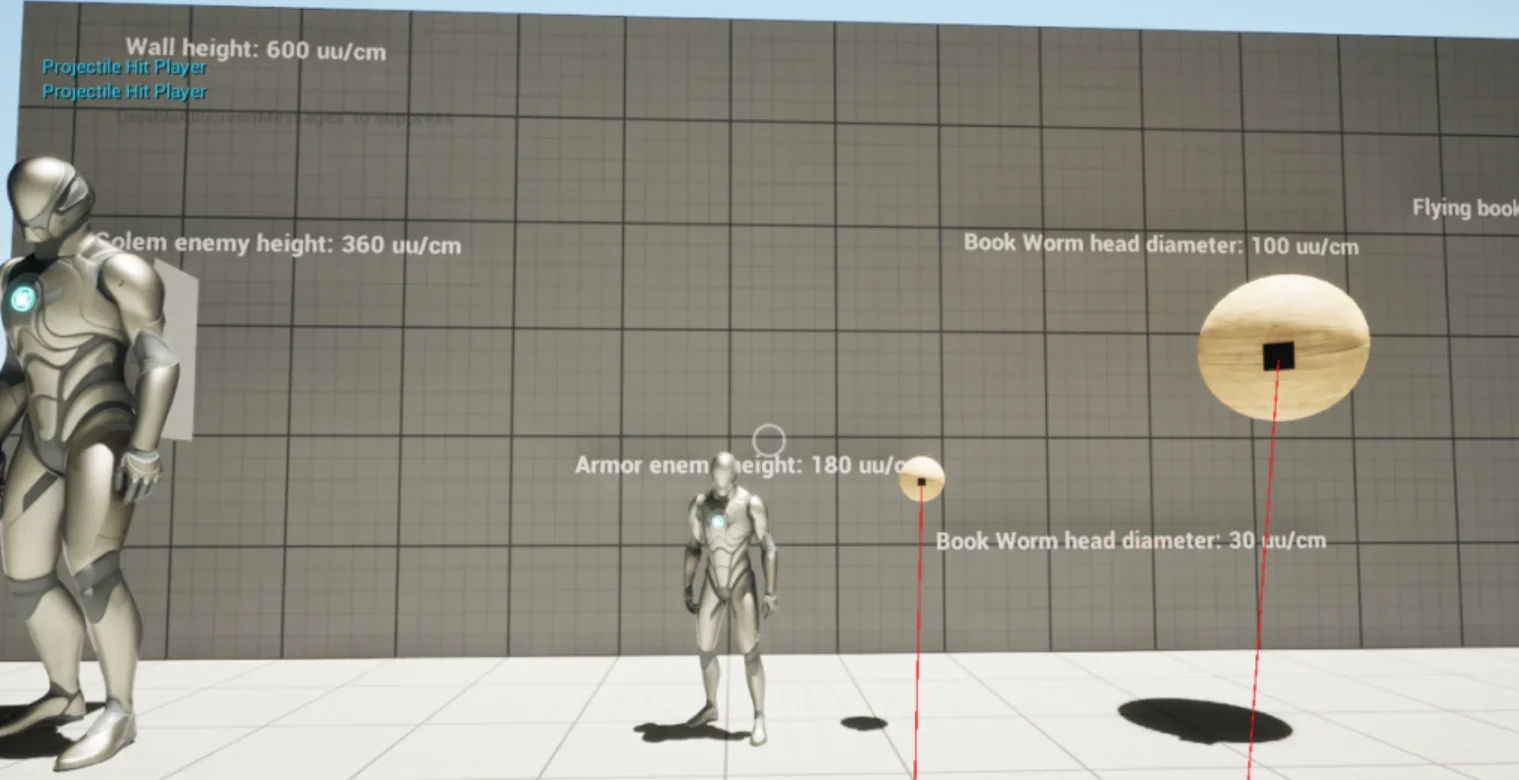
I play tested our enemies’ mechanics and movement in a mechanics gym to get a feel for our gameplay to inform our level design.
Defining level measurements
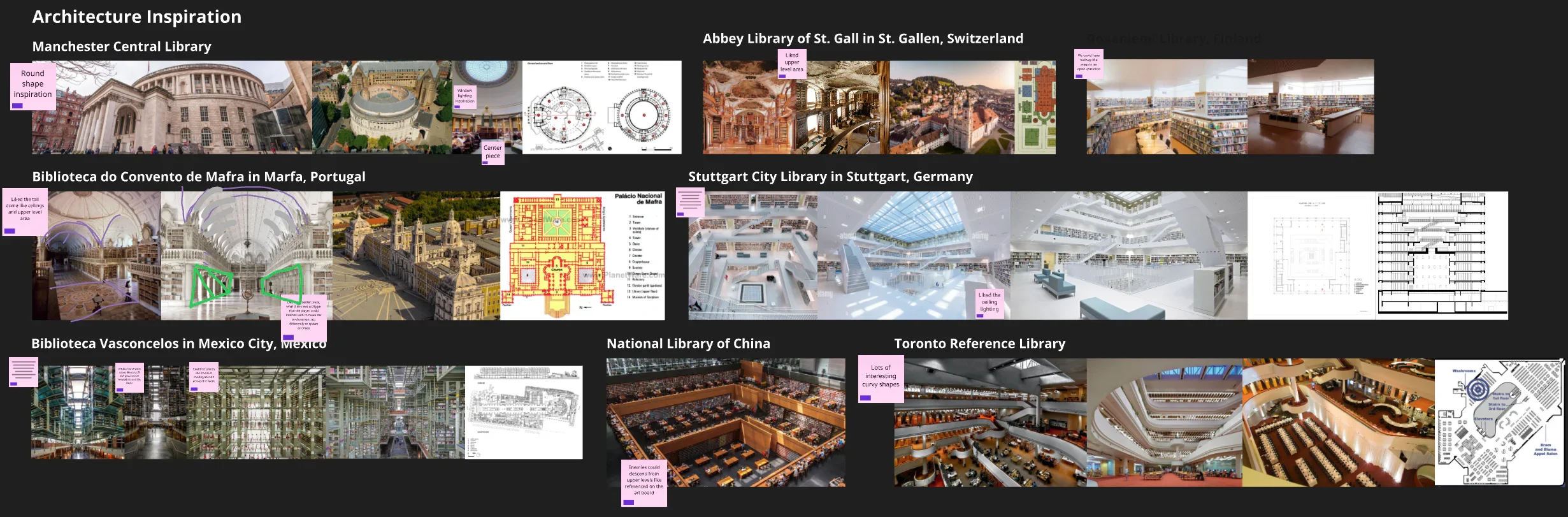
I gathered architecture inspiration from libraries around the world to present to our team where we slected our favorite references.
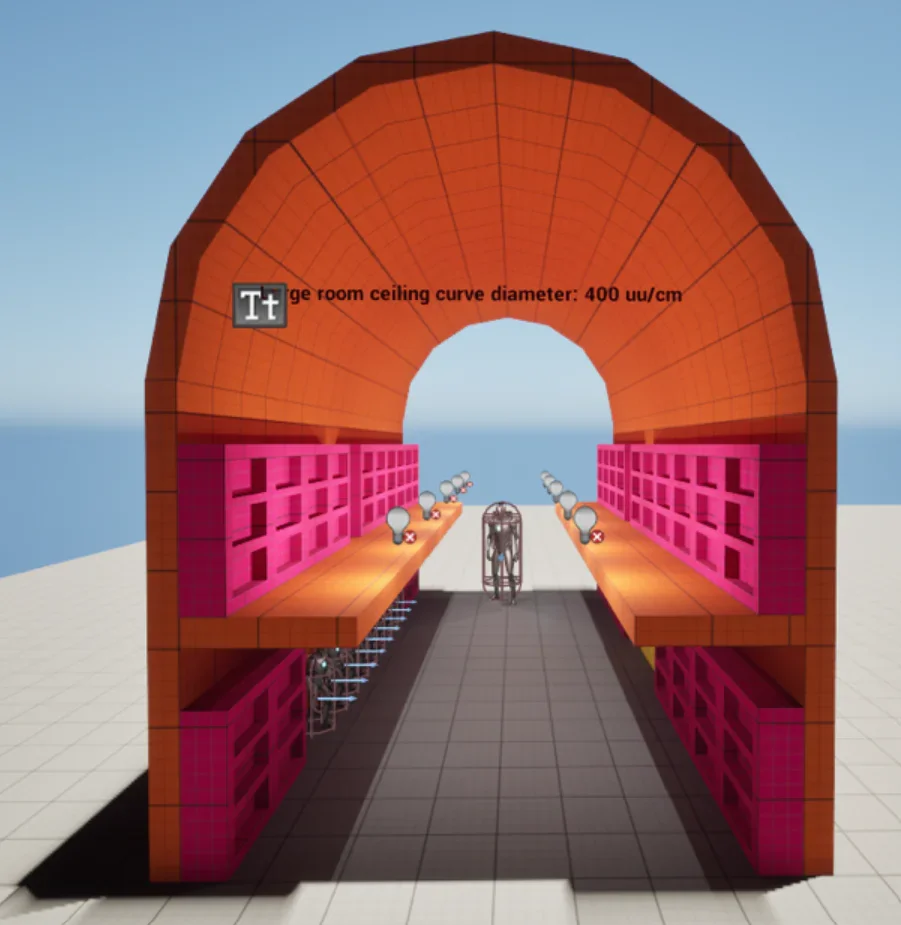
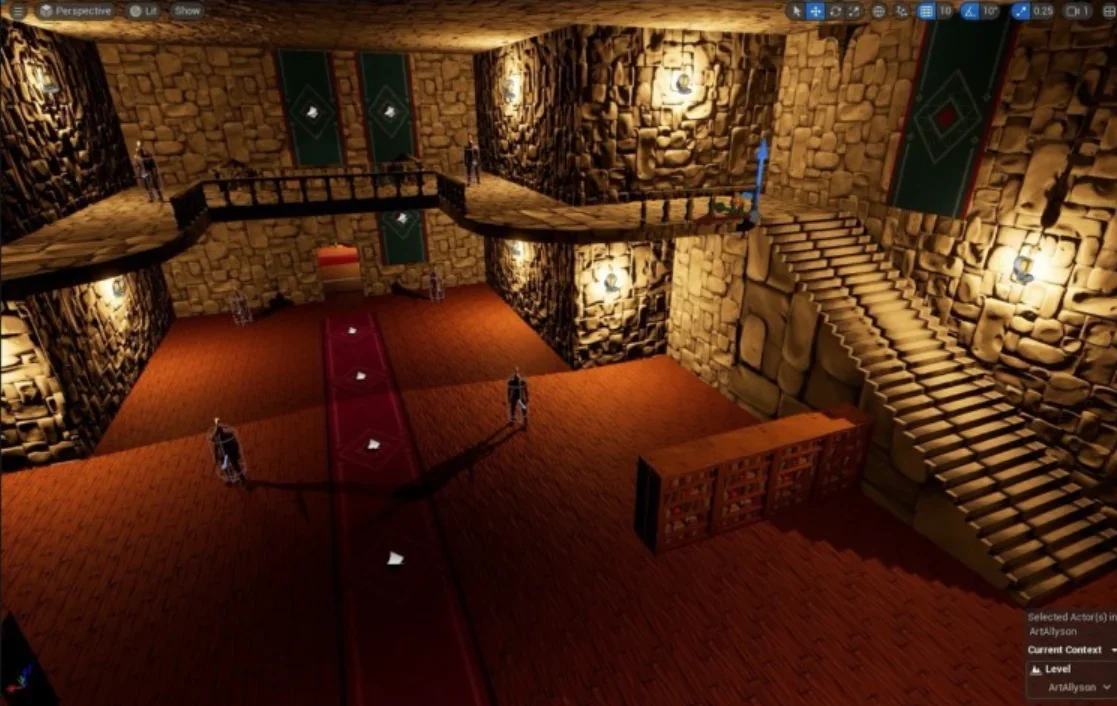
Our favorite references included hallways with 2nd floor balconies and curved ceilings.
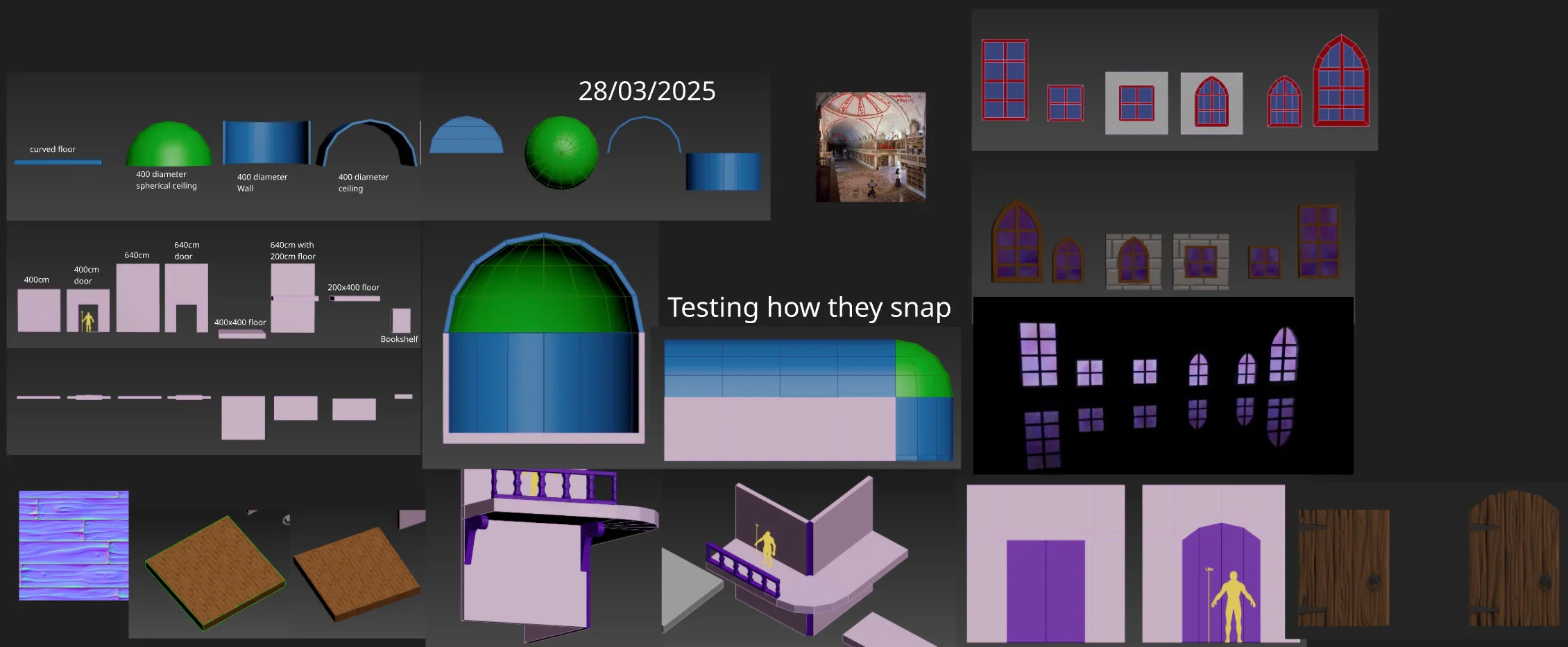
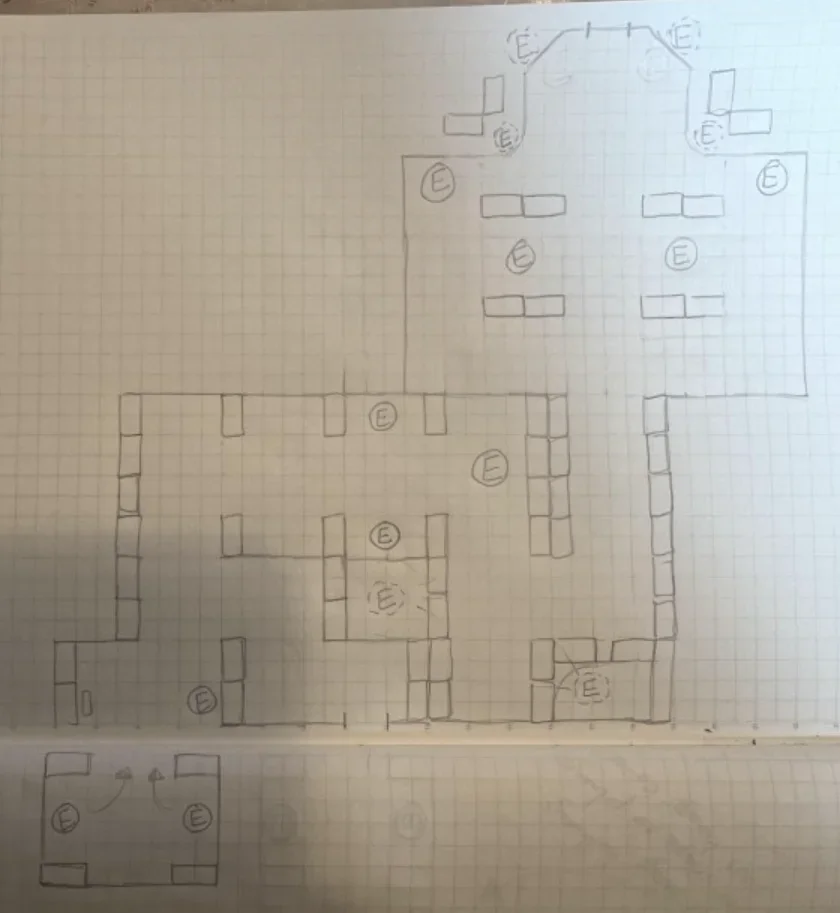
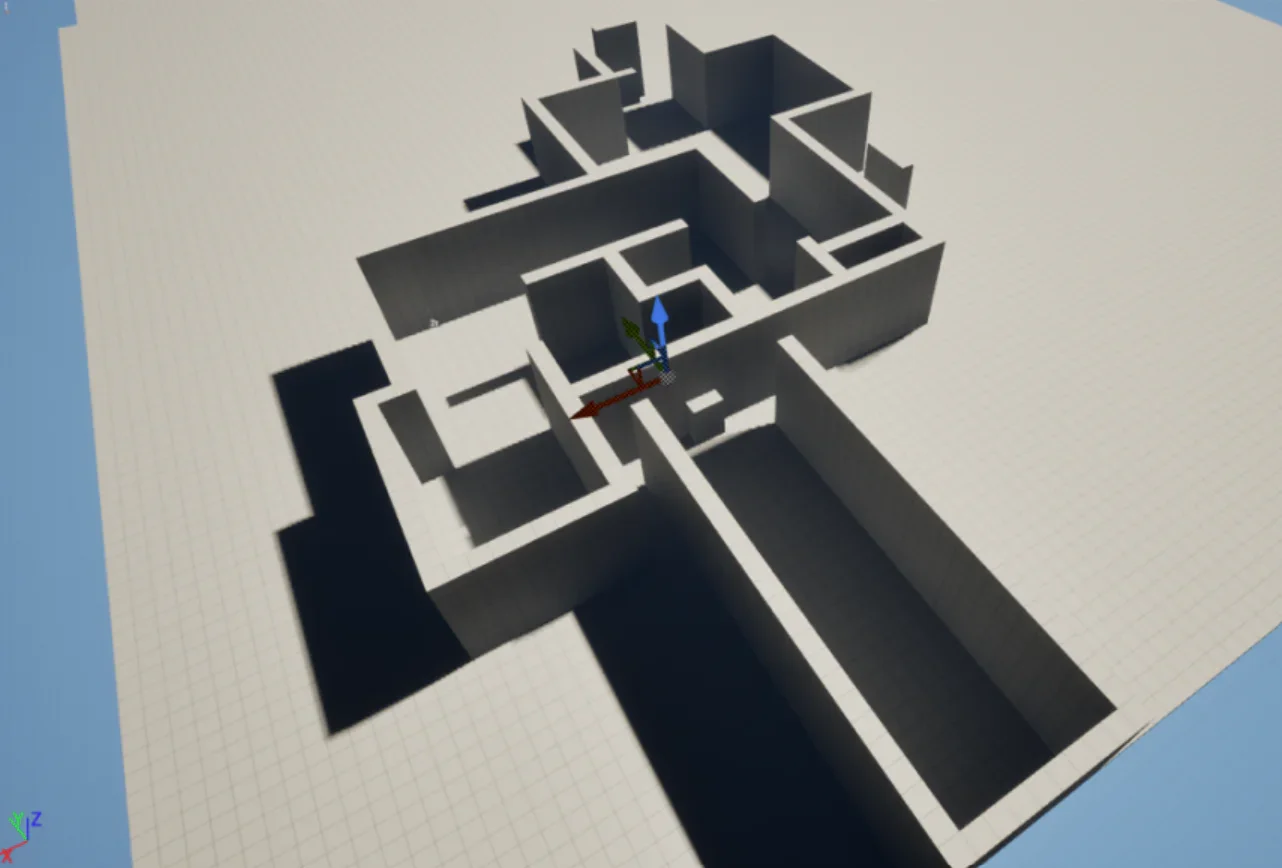
Based on on the player and enemies in our mechanics gym, I blocked out example spaces and defined our level measurements for the art team’s modular environment kit.
Level section blockout
I blocked out the first 3 rooms in the game including the first NPC dialogue interaction, the first enemy encounter and the first battle arena room.
I designed and developed the first enemy encounters including the AI behavior for the Knight enemy.
I applied the art team’s modular environment kit to my level areas.
Designing Player Onboarding Experience
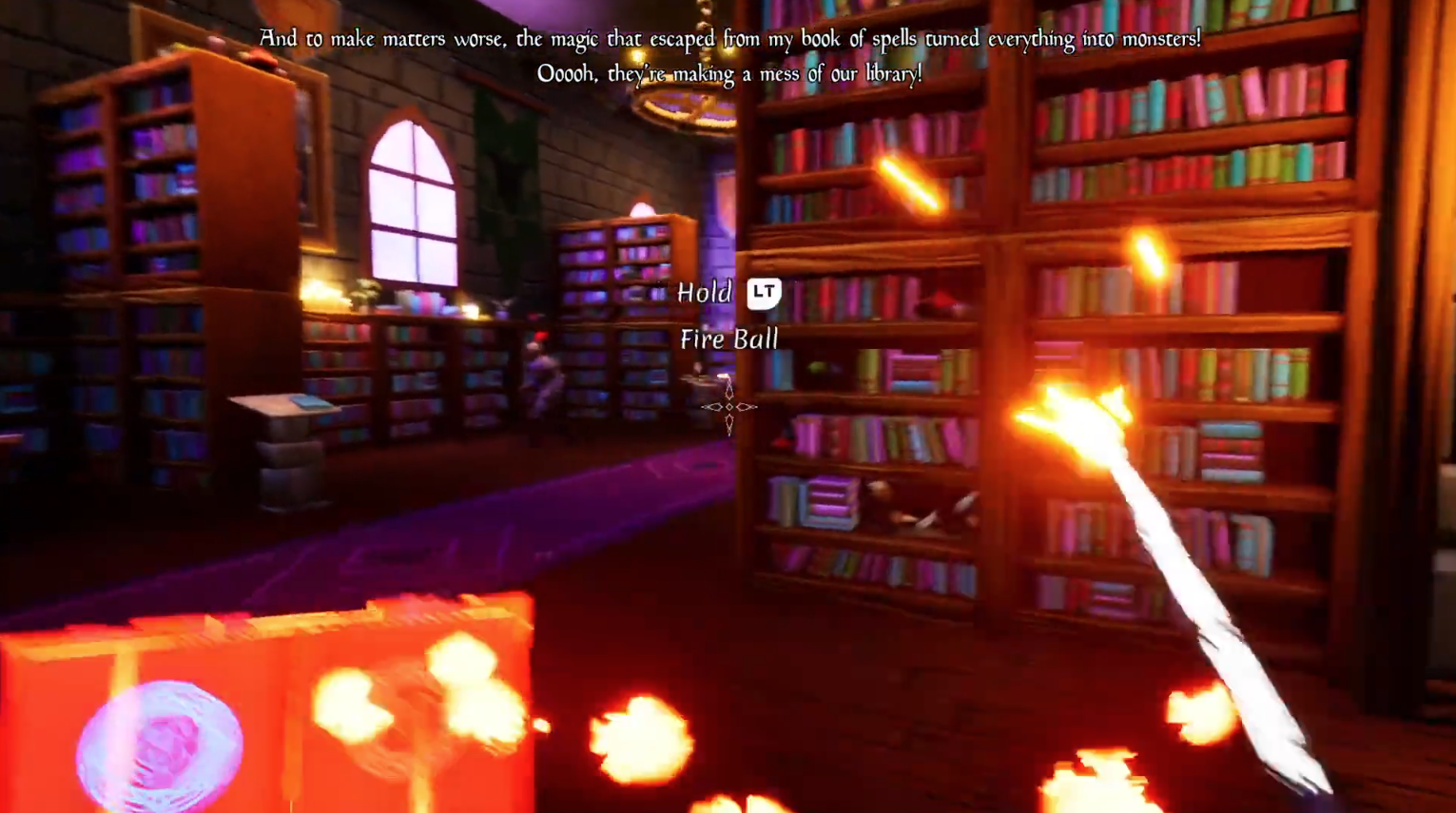
I wrote the dialogue script for introducing the player to the game’s narrative and quest.
I added action prompts to introduce the player to their abilities before enemy encounters without interrupting their experience.
I triggered dialogue prompts to reveal plot points before each enemy encounter.
Final level sections
Lore Pickup System
I developed our lore pickup system where players interact with environment items to learn more about the students and professors in the magical university.
Planning lore pickup system
I asked the fellow game designers and I to map out a top-down level view of the game and pick locations for lore pickups in our sections.
I communicated to the art designer, narrative designer and VO actor how many lore pickups we’d need assets and dialogue for.
Development process
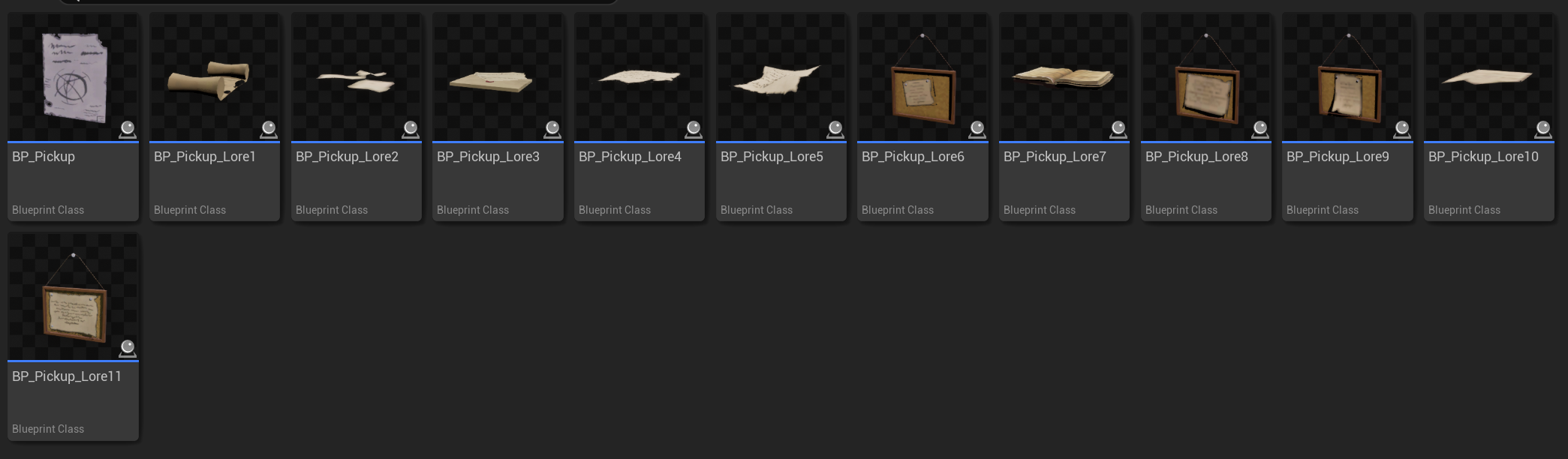
I made a base class for lore pickups and children for the 11 lore pickups.
I used the base class to enable and disable VFX and SFX feedback and displaying UI overlays for reading lore pickup content.
I used the child classes to adjust UI widgets for displaying correct asset sizes and triggering correct VO responses per lore pickup.
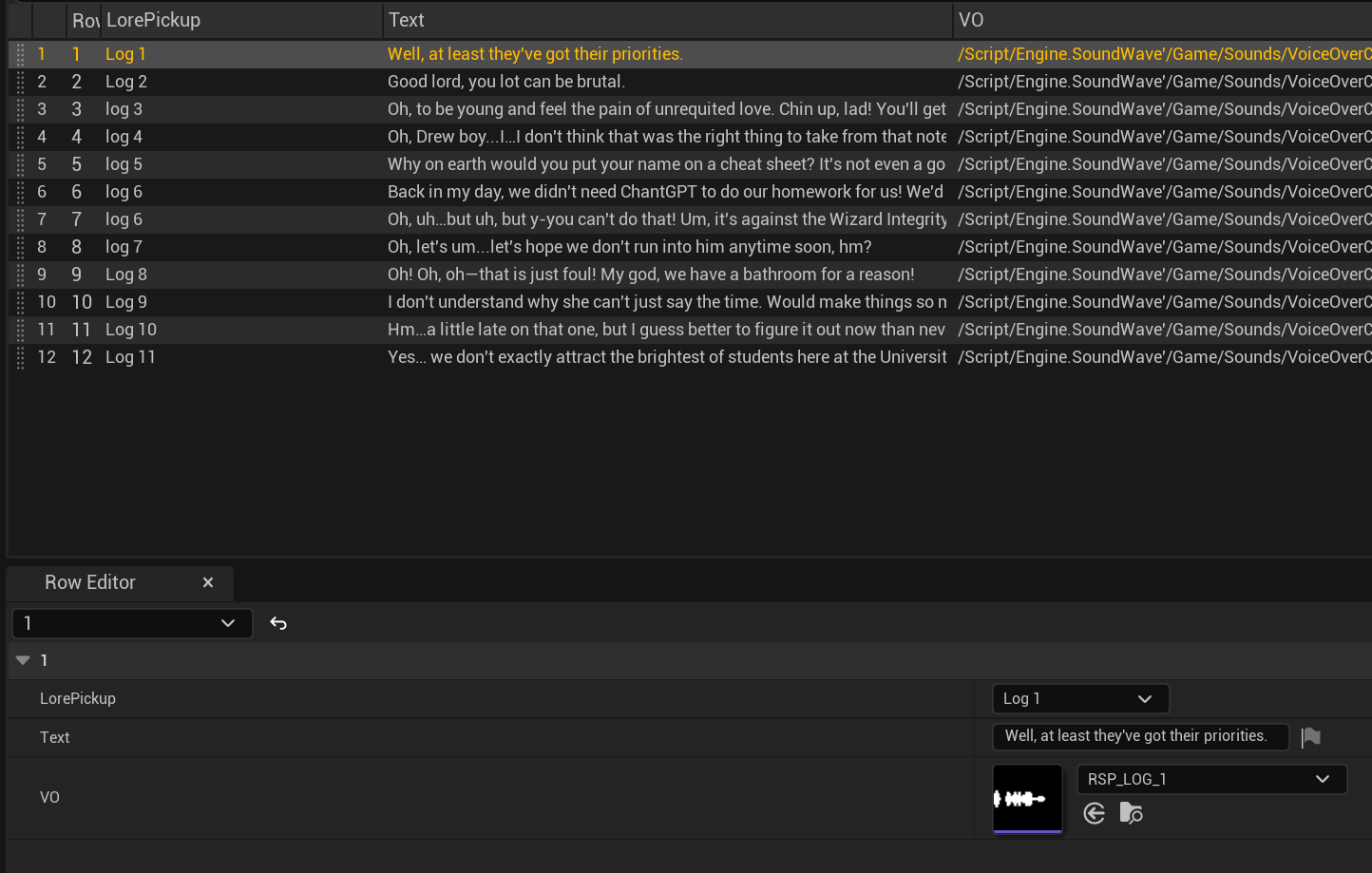
I made a data table for each lore pickup’s associated VO response to play after the interaction was completed.
Lore pickup system functionality
Interactable items emitt gold particles and SFX to catch the player’s attention.
Item glows on cursor hover
UI displays selected item
After player finishes interaction, Professor Wandsworth character VO line plays, lore pickup toast appears and interactable item feedback particles and SFX are disabled.
VFX, SFX & UI
I developed all of the game’s VFX, implemented the SFX & VO and designed the UI’s wireframes and implemented the UI functionality.
User flows & player feedback
Based on our core gameplay loop, I mapped user flows for the player’s level progression and lore pickup interactions.
I identified where players would need UI, SFX and VFX feedback to support their interactions and perception of gameplay responses.
I posted images of wireframes I made in Figma for the game’s UI.
I outlined SFX we would need for the audio designer.
VFX
I created static and animated materials and used Niagara to develop our VFX for the player’s abilities, spell book feedback, enemy spawns, floor decals and projectiles and lore pickup feedback.
For enemy burning and electrified states, I mapped those VFX to each enemy’s skeletal mesh to wrap around their bodies and adjusted the spawn rates to mimic the effects moving over them like fire and lightning.
SFX
I met with the audio designer to answer any questions they had about the list of SFX we needed and provided gameplay clips for context.
I listened to over 100 SFX options the audio designer provided and gave feedback so that the SFX would best suit the game’s atmosphere.
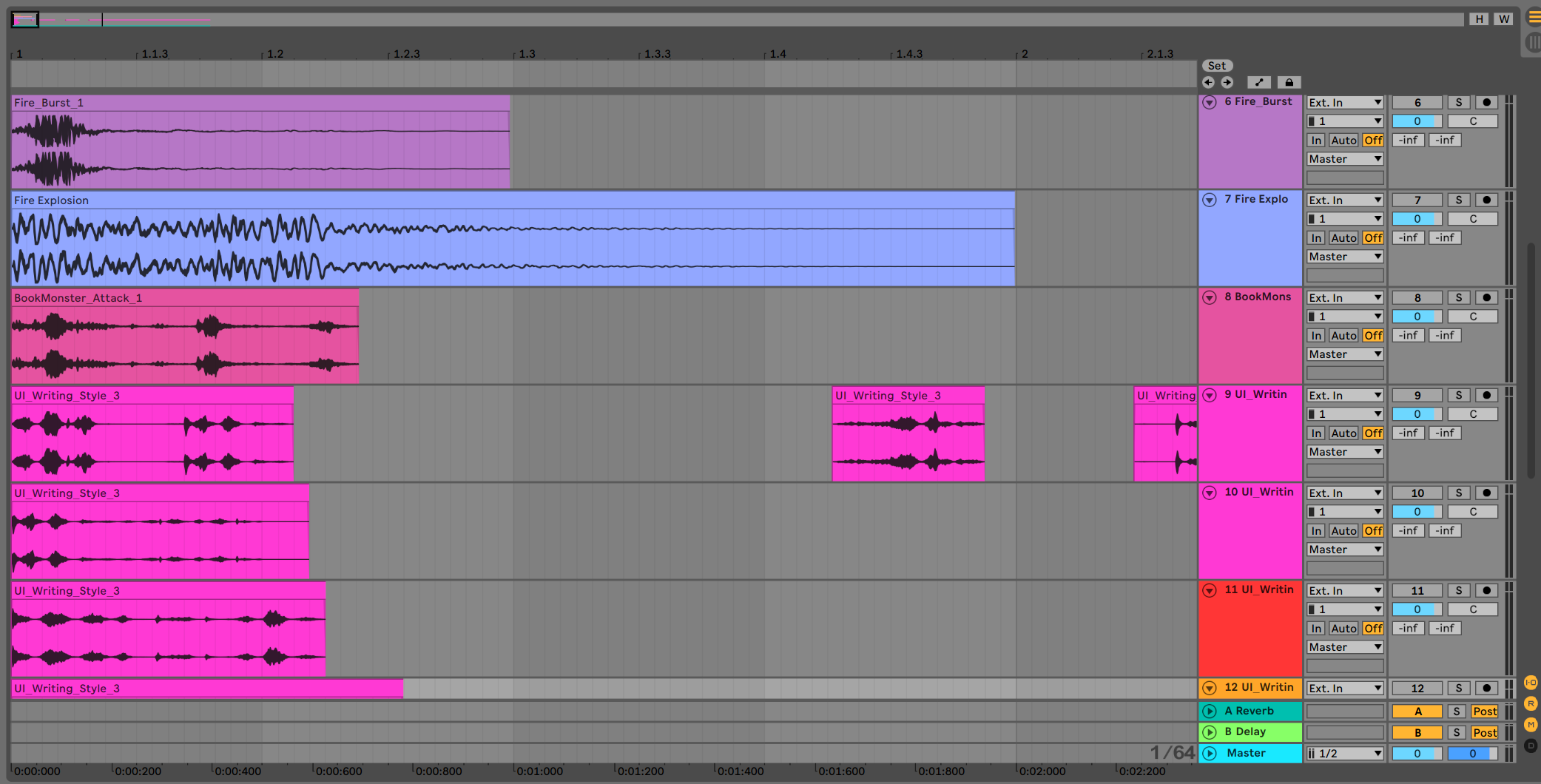
I edited clips of some of the longer recordings such as the ‘scribling on a notebook’ recording to create variations to play at random as players navigated the menu. This helped the interaction SFX feel less reptitive.
I applied attentuation to the SFX for example the ‘twinkling charm’ SFX to guide players to locations with lore pickups.
UI Design
Based on the user flows, I noted the UI screens, action prompts, toasts and dialogue displays players would need through out the level.
I made a UI art asset list for the artists and design wireframes to provide context for the Information Architecture.
I designed the UE5 blueprint widgets to adapt to various screen sizes and to detect whether players were using mouse & keyboard or controller to display the correct device inputs.
I provided the art team a list of fonts and implemented the options they felt best accompanied our art style.